
Imagine you’re standing outside of your minivan, baby in hand, reaching for the baby’s diaper bag when a large black van with a red stripe pulls up beside you. The van door slowly opens, revealing a motley crew of individuals. An imposing figure exits the vehicle, his mohawk stretches straight to the sky, and a strong aura of no-nonsense looms as large as the gold chains around his neck. A savvy veteran exits and tells you that you are now an integral part of a mission-critical operation.
Imagine you’re seated front row, center left, at an exclusive, all-access rehearsal of your favorite band. You listen as they rip through your favorite hits, one after another. You strum your air guitar to the classics. In perfect rhythm, you alternately bang out the drum riffs on your seat and legs. Eventually,y you find two straws from a discarded Big Gulp and use them to kill the drum solo. A lifetime in the making, the wait is over, and you are finally a part of the sold-out crowd, but suddenly the drummer runs off stage, and a frantic manager is pointing at you to get on stage.
Carlos the Great Dane is the odds-on favorite to win best in show for Big Boys Kennel Club. You’ve only heard about Carlos through coworkers who love big breed dogs, but today you’re seeing a whole new side of Carlos. In fact, you are seeing every side of Carlos as his trainer just dropped him off at your house while he waits outside for the tow truck to haul away his work van and the rental car to bring a replacement. “It will only be one hour,” he assures you. But keeping a million-dollar best in show out of danger is no easy task.
Let’s be honest, chances are the original A-Team or any real version of the same will not pull up beside your minivan and whisk you away to be a part of a top-secret, mission-critical, save-the-nation type of event. Likewise, your best Jimi Hendrix or Sheila E impersonation, with or without the big gulp straws, will probably not move you from the crowd to the spotlight of a sold-out show. And while you may see Carlos or another best in show favorite or winner, unless you are the owner, trainer, or judge, you will likely not be spending any unsupervised time with them. While these scenarios are unlikely to happen, it is possible that you might be asked to take over a LifeKeeper for Linux cluster that comes with similar risks, responsibilities, and criticality.
What to Do When You Inherit a LifeKeeper for Linux Cluster
Many businesses report that downtime costs upwards of $300,000 per hour, to the millions. Companies seeking to avoid disasters and downtime will frequently deploy robust architectures with redundancy at multiple layers.
In addition to these redundancies, many companies deploy High Availability (HA) software like SIOS LifeKeeper for Linux to add an essential layer of monitoring and recovery capabilities to their business-critical infrastructure, applications, and databases. LifeKeeper for Linux provides resource monitoring and recovery for infrastructure, applications, services, and databases, ensuring that business continuity is maintained and downtime is minimized or avoided. While it doesn’t come in a black van manned by operatives, it is mission-critical.
So, what do you do if you are suddenly responsible for being the lead administrator or soloist for a LifeKeeper for Linux (LK-L) environment that brings in more revenue than a couple of dozen versions of Carlos?
8 Steps for Taking Over a SIOS LifeKeeper for Linux Cluster
Eight critical steps for taking over a SIOS LifeKeeper for Linux Cluster include:
1. Locate and review existing runbooks
Find any existing runbooks. These are often documents stored in a document repository created by the previous administrator. A detailed runbook often provides insight into the cluster’s configuration and architecture. These details will be helpful for administration and future operations.
2. Locate your LifeKeeper for Linux product version
Understanding your product version is an important part of taking ownership of the cluster. SIOS releases frequent product updates that offer more feature-rich content, security updates, and improvements. When you take over an existing product cluster, you’ll need to know what version you are on so that you can assess several factors:
- Where is your product within the product and support lifecycle?
- Are you on the latest version of the product?
- What new features or fixes have been added to the product since your version?
- Where to find version-specific documentation?
You can find the product version via the UI. If your runbook indicates LifeKeeper versions 9.8.x or newer, you can use https://<servername>:5110 (or https://<server_IP>:5110) to launch the LifeKeeper Web Management Console (LKWMC). Once logged in, select properties:
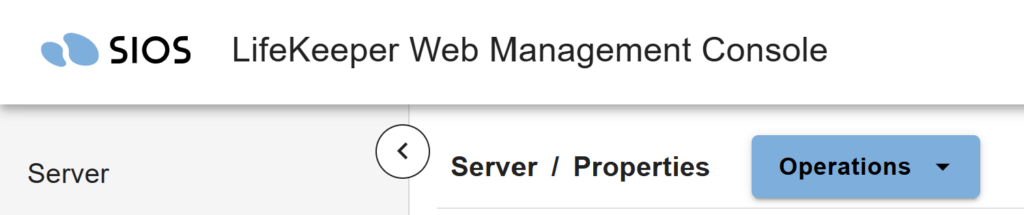
After the properties page loads, locate your version information in the section beneath the product name:

If you’re running an older version of LifeKeeper for Linux, enable X11 forwarding and launch the Java UI via the command /opt/LifeKeeper/bin/lkGUIapp from a SSH client session.

Your product version can also be found via the command line as follows:
# rpm -qi steeleye-lk

Once you’ve launched the Java UI and logged in, you’ll be able to navigate to help. Once you obtain your product version, check your product lifecycle and version-specific information via docs.us.sios.com
3. Review your technical support agreement
The Technical Support agreement (TSA) outlines the support that SIOS provides for the SIOS products. The TSA is helpful in identifying critical information regarding maintenance, upgrades, product support, and product fixes. The TSA also provides valuable information regarding SIOS’s 24/7 support offering and the contact information for access. Understanding the TSA goes a long way towards ensuring confidence that you are not on an island, but supported by the SIOS team. Understanding the TSA also helps you avoid surprises during ongoing deployment and maintenance by identifying what is and is not covered.
4. Obtain SIOS Administrator Training
If your transition is immediate, there may not be a previous administrator available to provide you or your new team members with training. Don’t panic. SIOS has convenient online training available. This training provides a comprehensive overview of the LifeKeeper for Linux product and the roles and actions required for an administrator. If your Account Representative was documented in the runbook, reach out to them directly for more information. Otherwise, contact sales@us.sios.com or support@us.sios.com for assistance.
5. Create a demo or test cluster
Armed with your administrator training, deploy a test environment where you can practice and hone your skills and understanding without directly endangering your company’s data or applications. Creating a demo or test cluster helps you and your future team understand the product basics and get familiar with the UI.
In addition, if your team inherited a runbook, building your own cluster via the runbook helps you validate and update these books for the future. If possible, do your best to mimic the applications and data protected by the production cluster. Ideally, the test cluster your team builds should be as similar to the production systems as possible. This helps your team understand dependencies, behaviors, and operations in a safe environment before executing commands on production. Be sure to run through several key exercises, such as:
- Manual switchovers
- Server failovers
- Application recovery
- Maintenance operations
6. Schedule a cluster health check
A cluster health check validates the entire SIOS LifeKeeper for Linux environment. Think of it as a multipoint inspection for your HA cluster. A team of SIOS experts will conduct a detailed review and validation of the system logs, system settings, run books, LifeKeeper operation, and other documentation to ensure the LifeKeeper environment, including application recovery kits, is configured and operating in an optimized fashion. The health check report will provide you with recommendations for correcting and/or improving operation, de-risking potential issues, and increasing your awareness of the products.
7. Leverage SIOS support and professional services
The A-Team was a team, not just a single individual on a critical mission. Your favorite band is more than just the lead singer, drummer, or guitarist. It is a group of like-minded professionals seeking to accomplish great things, make great music, avoid disappointing fans, and enjoy the rewards of sold-out shows. Carlos’ success includes handlers, groomers, coaches and trainers, walkers, veterinarians, and a bevy of experts and agents. Their success is a team effort, and so is yours. Leverage your SIOS support team at support@us.sios.com or via the support portal support.us.sios.com to gain access to invaluable insights and information.
The SIOS Support Portal contains hundreds of helpful knowledge-based articles (KBAs), access to the latest software, and is ready to help engineers guide you towards success. Reach out to the SIOS support team to ensure that you have a login to the support portal and can manage your cluster effectively. The support team can also help you get access to an array of SIOS Professional Services offerings, including more advanced training, additional health checks and validations, assistance for new cluster installations, or standby engineering services for your first or any future maintenance or go-live windows.
8. Stay connected with SIOS
A secret to success when you inherit a new cluster is to stay in touch with SIOS. Establish a frequent check-in with your Account Representatives. This touchpoint enables you to keep up with new options and opportunities, stay ahead of license renewals, and understand how to add new clusters to expand your protection of additional applications and services.
Stay in touch with your SIOS support team via the newsletter and email blasts. The email blasts provide updates on any new features, releases, or critical updates that may impact your software. Open cases via the support email inbox or Support Portal whenever you need clarity on an RCA or have an issue that just needs a second set of trained eyes.
Taking over a SIOS LifeKeeper for Linux cluster doesn’t have to feel overwhelming. Request a demo to see how SIOS can help you protect critical applications, reduce downtime risk, and manage high availability with confidence.
Author: Cassius Rhue, VP, Customer Experience, SIOS Technology Corp.