What Is High Availability (HA)?

What is High Availability
Reading Time: 7 minutes

High availability, or HA, is an approach to running computer systems so that the applications a business depends on stay available even when something breaks. An HA setup uses more than one server, constantly checks whether the active one is healthy, and automatically moves the workload to another server when it is not, usually within seconds to a few minutes, without anyone having to intervene.

If that sounds abstract, here is what it looks like from the outside.

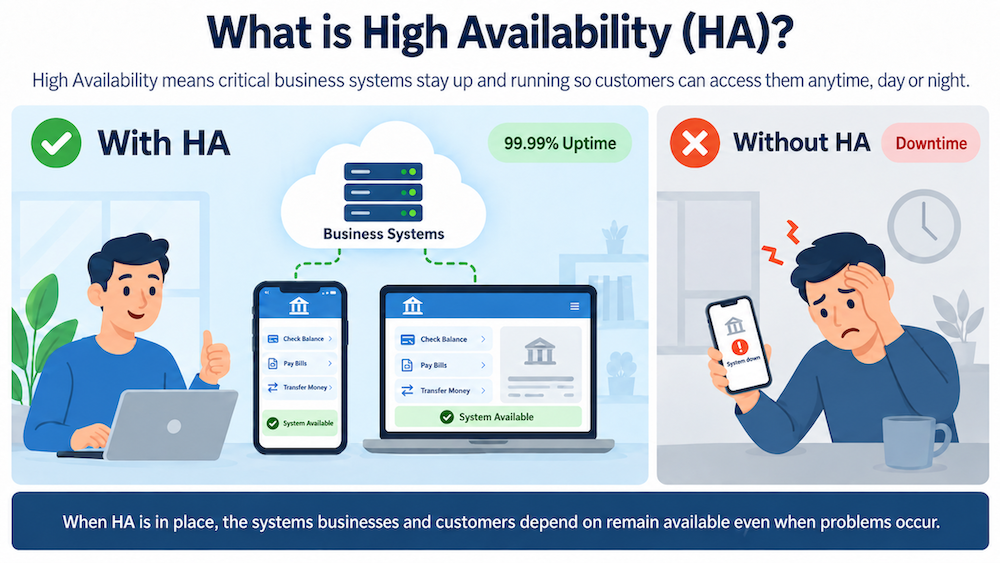
A Familiar Example: When the Bank App Will Not Load

You open your banking app to check a balance or deposit a check. Instead of your account, you get an error saying the system cannot be reached. You assume the problem is on your end, so you close the app, restart your phone, and try again on your laptop. Same error.

The problem is not your phone. Somewhere behind that app, a server or an application has failed, and nothing took over for it.

Now imagine the same failure at a bank that has high availability in place. The server fails in exactly the same way. A second server notices within seconds and picks up the work. You might see a brief delay, or nothing at all. You check your balance and move on with your day, never knowing anything happened.

That is the entire point of high availability. The failure still happens. What changes is whether the customer experiences it.

How High Availability Works

High availability can be built into hardware, software, or both. What follows describes the software side, which is where most organizations start.

Two ideas do most of the work.

1. The Servers Watch Each Other

In a basic HA setup, two servers are configured as a pair. At a regular interval, each one checks whether the other is still responding, essentially asking, “Are you there?” This check is usually called a heartbeat.

If the active server stops answering, the HA software concludes it has failed and moves the workload to the other server automatically. That process is called failover.

Two servers is the simplest arrangement, and it is a good way to understand the concept, but production clusters often run three or more. The reason is a problem called split-brain: if the two servers lose contact with each other but are both still running, each may assume the other has died and try to take charge, which risks corrupting data. Adding a third node lets the surviving servers vote on who is in charge. That majority vote is called quorum, and it is why HA clusters typically use an odd number of nodes.

2. The Software Watches the Applications

A server can be powered on and reachable while the application running on it has quietly stopped working. From the customer’s perspective, that is still an outage.

So HA software also monitors the applications and databases themselves, in effect asking each one, “Are you healthy?” If an application reports a problem, the software first tries to fix it where it is, usually by restarting the service. If the problem persists, it fails the workload over to the other server.

This distinction matters when comparing HA products. Basic clustering software knows whether a server is up. Application-aware software understands what a specific database or application needs in order to be considered healthy, and what has to happen, in what order, to bring it up correctly somewhere else. [Link to SIOS LifeKeeper / Application Recovery Kits.]

How Fast Is Failover, Really?

High availability is often described as instantaneous. It is not, and it is worth being precise about this.

Failover takes time. The cluster has to detect the failure, confirm it is real rather than a brief network hiccup, decide which server takes over, and bring the application up on the new server. Depending on the application and how the cluster is configured, that usually takes anywhere from a few seconds to a few minutes. A database with a large amount of data to recover sits at the longer end of that range.

The meaningful comparison is not failover versus zero downtime. It is failover versus what happens without HA: someone gets paged, logs in, diagnoses the problem, and fixes it manually, which takes far longer and may happen at three in the morning.

What the Uptime Numbers Actually Mean

Availability is usually written as a percentage, and vendors and service-level agreements talk about “nines.” The percentages look almost identical to each other, but the downtime they permit is very different.

Availability levelCommonly calledDowntime per yearDowntime per month
99%Two ninesAbout 3 days, 15 hoursAbout 7 hours
99.9%Three ninesAbout 8 hours, 46 minutesAbout 44 minutes
99.99%Four ninesAbout 53 minutesAbout 4 minutes, 23 seconds
99.999%Five ninesAbout 5 minutes, 15 secondsAbout 26 seconds

Four nines, which sounds close to perfect, still allows nearly an hour of downtime a year. Whether that is acceptable depends entirely on the application. For an internal scheduling tool, an hour is a nuisance. For a payment system or a hospital records system, it is not.

Two practical notes. First, these numbers usually cover unplanned downtime only; planned maintenance is often excluded from the calculation, so real-world availability can be lower than the number suggests. Second, availability compounds across dependencies, so a service that relies on several systems is only as available as the weakest link in the chain. [Link to the “Why 99.99% Uptime Doesn’t Mean 100% Uptime” blog post.]

High Availability vs. Disaster Recovery

These two terms are frequently used as if they mean the same thing. They solve different problems and most organizations need both.

High availabilityDisaster recovery
What it protects againstA single server, application, or component failingAn event that affects an entire site or region
Typical distanceServers in the same data center or nearby availability zonesA second site, often hundreds of miles away
How recovery startsAutomatically, in seconds to minutesOften a deliberate decision by a person, over minutes to hours
What it is forKeeping day-to-day service running through routine failuresGetting the business back after a major event

A useful way to hold the difference: high availability handles the server that fails on a Tuesday afternoon. Disaster recovery handles the flood, fire, or regional outage that takes the whole site offline. [Link to the SIOS disaster recovery resource page.]

High Availability vs. Fault Tolerance

Fault tolerance goes a step further than high availability. A fault-tolerant system runs redundant components in lockstep, so that if one fails the other continues without any interruption at all, not even a brief pause.

The tradeoff is cost and complexity. Fault tolerance generally requires specialized hardware or tightly coupled software and duplicates everything. High availability accepts a short interruption during failover in exchange for being far more practical and affordable to run on standard servers. For most business applications, that tradeoff is the right one.

High Availability vs. Redundancy

Redundancy means having a second copy of something: a second server, a second power supply, a second network path.

Redundancy on its own is not high availability. A spare server sitting in a rack does nothing useful unless something detects that the primary has failed and moves the work over. High availability is redundancy plus the monitoring, decision-making, and automation that put the spare to use.

Is High Availability the Same as a Backup?

No, and this is the most common and most costly misunderstanding about HA.

A backup is a copy of your data as it existed at an earlier point in time. If data is deleted, corrupted, or encrypted by ransomware, a backup lets you go back to a version from before the damage occurred.

High availability keeps a second server ready to run your applications right now, using current data. It is designed for a failure, not a mistake. If someone deletes the wrong records, or if data becomes corrupted, an HA system will faithfully carry that change to the standby server, often within milliseconds. The damage arrives at the backup server just as fast as it happened on the primary.

High availability and backup protect against different things. Neither one replaces the other, and a complete strategy uses both.

Why High Availability Matters for Your Business

Downtime is not only a technical problem. It shows up on the income statement.

  • Lost revenue. If customers cannot transact, they do not transact.
  • Lost customers. When a service is unavailable, many people simply go to a competitor and do not come back.
  • Contractual cost. Organizations that commit to uptime in service-level agreements pay credits or penalties when they miss those commitments.
  • Staff cost. Without automated recovery, outages are handled by people, often outside business hours, which is expensive and difficult to sustain.
  • Reputational cost. Repeated outages erode trust in a way that is slow and expensive to rebuild.

High availability does not prevent failures. Hardware still fails, software still has bugs, and networks still drop. What HA changes is what those failures cost, by handling them automatically instead of turning each one into an incident.

Frequently Asked Questions

What does high availability mean?

High availability means a system is designed to keep running through the failure of an individual component. It uses redundant servers, continuous health monitoring, and automatic failover so that applications stay available without someone having to intervene.

What is the difference between high availability and disaster recovery?

High availability protects against the failure of a server, application, or component, usually within a single site, and recovers automatically in seconds to minutes. Disaster recovery protects against an event that affects an entire site or region and typically involves a second location and a deliberate decision to switch over.

How much downtime does 99.99% uptime allow?

Four nines, or 99.99% availability, allows roughly 53 minutes of downtime per year, or about 4 minutes and 23 seconds per month. Three nines, 99.9%, allows nearly 9 hours per year.

Is high availability the same as a backup?

No. A backup stores an earlier copy of your data so you can recover from deletion, corruption, or ransomware. High availability keeps a second server ready to run your applications with current data. Because HA replicates changes almost immediately, it will copy a mistake as faithfully as it copies legitimate data, which is why both are necessary.

How fast is automatic failover?

Typically a few seconds to a few minutes, depending on the application and how the cluster is configured. Databases with substantial recovery work to perform take longer than simpler applications.

Do you need an odd number of servers in a high availability cluster?

Clusters commonly use an odd number of nodes so the surviving servers can form a majority, called quorum, and agree on which one should take over. This prevents a split-brain situation in which two servers each believe they are in charge.

Next Steps

If you are evaluating high availability for a specific application or database, the SIOS Application Availability Fundamentals Center covers how protection differs by operating system, database, and cloud platform.

Author: Sandi Hamilton, Director of Product Support Engineering at SIOS


Recent Posts

AI and Critical Applications

AI Is Moving Fast. Critical Applications Still Need to Stay Up.

AI is changing how companies serve customers, analyze information, and get work done. The opportunity is real, and organizations are right to explore […]

Read More

Surviving the Friday Night Crash: From Scrappy Bare Metal to Seamless Data Replication 

It was my sophomore year of high school. It was late on a Friday night, and like most teenagers, I was zoned out […]

Read More
Redundancy vs. Resilience: What Real High Availability Demands

Grounded: What Missing Percona Live Amsterdam Taught Me About HA 

There is a cruel irony in sitting on an airport floor watching departure boards turn into a sea of red cancellations due to […]

Read More